Primary Reach Zone
Items used most frequently — keyboard, mouse, notepad, and primary input devices — should sit within forearm reach when elbows remain at your sides. This zone typically spans 30 to 40 centimetres from your torso.
Understanding how spatial arrangement, equipment placement, and workflow patterns interact forms the basis of practical workspace layout. The information presented here is general and educational in nature.
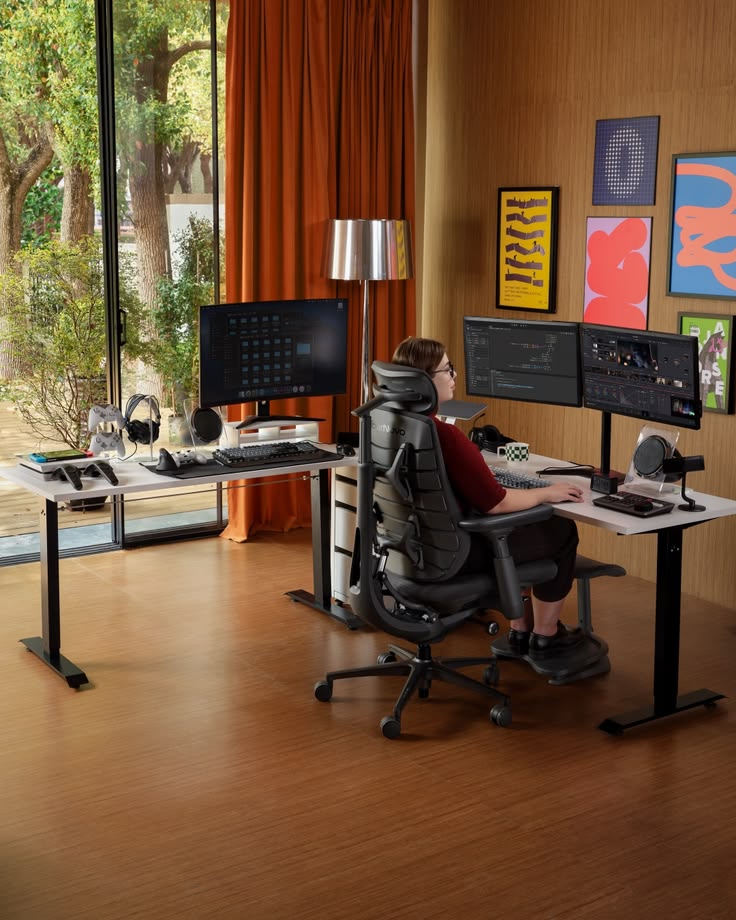
Dividing your workspace into primary, secondary, and reference zones can support task efficiency and limit unnecessary reaching movements.
Items used most frequently — keyboard, mouse, notepad, and primary input devices — should sit within forearm reach when elbows remain at your sides. This zone typically spans 30 to 40 centimetres from your torso.
Reference materials, secondary monitors, and phone handsets belong in an extended reach area. Occasional access items reduce clutter in the primary zone while remaining within comfortable arm extension.
Filing systems, bookshelves, and infrequently used equipment can occupy peripheral desk space or adjacent furniture. Keeping this zone organised prevents visual distraction during focused work.
Each setup type presents distinct considerations. The following comparison outlines general characteristics observed during our analysis sessions.
| Factor | Fixed Desk | Sit-Stand Desk | Corner Workstation |
|---|---|---|---|
| Adjustability | Limited to chair and monitor arms | Height variable throughout the day | Depends on furniture selection |
| Space Efficiency | Compact footprint suitable for small rooms | Requires vertical clearance | Maximises corner utilisation |
| Equipment Placement | Straightforward linear arrangement | Cable management becomes important | Dual-monitor setups common |
| Movement Opportunity | Relies on scheduled breaks | Position changes integrated into workflow | Varies by layout design |
Appropriate illumination can support visual comfort during sustained visual tasks. We evaluate both natural and artificial light sources during workspace reviews.
Background noise and reverberation can affect concentration. Simple adjustments may help adjust the acoustic character of your work area without structural modifications.
Bookshelves, fabric panels, and room dividers absorb sound reflections and create visual separation in open-plan settings.
Over-ear headphones with noise isolation support focused work periods. White noise applications can mask intermittent distractions.
Rugs, curtains, and upholstered furniture reduce hard-surface echo in rooms with tile or wooden flooring.
Tangled cables and surface clutter create visual noise and restrict desk adjustments. Systematic organisation supports both aesthetics and functional flexibility.
Use under-desk trays, adhesive clips, and cable sleeves to route power and data lines away from leg space and moving components.
Limit visible items to those needed for the current task. Drawer organisers and vertical storage free horizontal desk space.
Professionals who split time between locations benefit from portable ergonomic principles and consistent equipment standards across both environments.
External keyboard, laptop stand, and compact mouse maintain consistent input ergonomics regardless of location.
Photograph optimal configurations at each location. Reference images simplify re-establishing preferred arrangements after travel or office changes.
Schedule quarterly reviews of both workspaces. Equipment wear, furniture changes, and evolving work habits may warrant adjustments over time.
Provide photographs from multiple angles, desk and chair height measurements, a list of equipment used daily, and a brief description of typical work activities. This helps us deliver relevant informational observations.
Compact workspaces often benefit from vertical storage, monitor arms, and compact input devices. We assess each situation individually and suggest space-efficient arrangements based on available dimensions.